I run a small home server for the usual homelab things: backups, media, and the occasional "download this now and sort it out later" job. For years, the tool I reached for was JDownloader2. It is powerful, battle-tested, and solves a lot of real problems.
My setup, however, was always awkward. JDownloader2 ran in Docker on the server, and I controlled it through VNC in a browser. It worked, but it made simple tasks feel clumsy. Clipboard sharing was a two-hop problem, resizing the desktop UI inside a browser was never pleasant, mobile use was almost hopeless, and adding links from the CLI meant leaning on MyJDownloader with an online account. I did not want that for a box sitting in my rack.
At some point the shape of the problem became obvious: I did not need a download manager pretending to be a desktop app. I needed a small service that exposes a persistent queue.
So I built DLQ (Download Queue): a headless download-queue daemon and CLI, inspired by the part of JDownloader I actually needed, but designed for Docker, SSH, terminal use, and a home-server workflow. I also wanted a real excuse to learn Go and SvelteKit, so Go became the daemon/CLI language and SvelteKit became the optional web UI.
Project repo: github.com/Witriol/dlq-download-queue
What DLQ Is
DLQ is intentionally narrower than JDownloader2. It is not trying to be a universal download manager with a huge plugin ecosystem, captcha workflows, deep link grabbing, and desktop automation. The goal is the loop I actually need on a server: add links, keep the queue across restarts, run downloads, observe failures, retry cleanly, and leave files in known mounted folders.
The core service is dlqd, a Go daemon with an HTTP API on port 8099 by default. It stores jobs in SQLite, resolves URLs, and delegates the actual download work to aria2 over JSON-RPC. The CLI client, dlq, talks to that API, so the same queue can be driven from SSH scripts, cron-like workflows, or an interactive terminal. The optional dlq-webui container runs a SvelteKit UI on port 8098 and proxies API calls server-side.
A simplified version looks like this:
Browser
  -> dlq-webui (:8098)
  -> dlqd API (:8099) <- dlq CLI
  -> resolver
  -> queue service
       - SQLite (/state/dlq.db)
       - events/logs
  -> aria2 RPC
  -> /data
The most important design choice is persistence. A job is not just an aria2 process; it is a row in the queue with status, attempts, output directory, resolver metadata, filename, events, and enough history to answer "what happened?" later. If the server restarts, the queue is still there. If a download fails, I can inspect job events instead of guessing from a half-remembered desktop session.
How It Behaves
From the CLI, the common workflow is deliberately small:
# Add a job
docker exec -it dlq dlq add "<url>" --out /data/downloads

# Watch the queue
docker exec -it dlq dlq status --watch

# Inspect failures
docker exec -it dlq dlq logs 12 --tail 80
Jobs can be paused or resumed, retried, soft-deleted, listed with or without deleted entries, and filtered by state. DLQ tracks clear state transitions:
queued,resolving,downloading— the normal happy pathpaused— manually helddecrypting— post-download archive workcompleted,failed,decrypt_failed— terminal outcomes
For Webshare jobs, pause/resume semantics are surfaced more like stop/retry, because stale transfer state is often less useful than resolving a fresh link.
Resolvers are pluggable. The current set includes plain HTTP/HTTPS passthrough, Webshare anonymous mode, and public MEGA file links. Resolver failures are meant to be explicit — a specific error is much better than a vague "it did not download":
login_requiredquota_exceededcaptcha_neededtemporarily_unavailableunknown_site
Post-processing became a bigger part of the project than I originally expected. DLQ can run archive decrypt/extract after a successful download, stores archive passwords per add batch, masks sensitive values in logs, and moves failed extraction into a distinct decrypt_failed state. MEGA links have their own post-download payload decryption path with integrity verification. Multipart archives are grouped, so .partNN.rar and older .rar / .r00 sets can be retried or removed as a unit instead of forcing me to reason about every part separately.
Docker, UI, and Boundaries
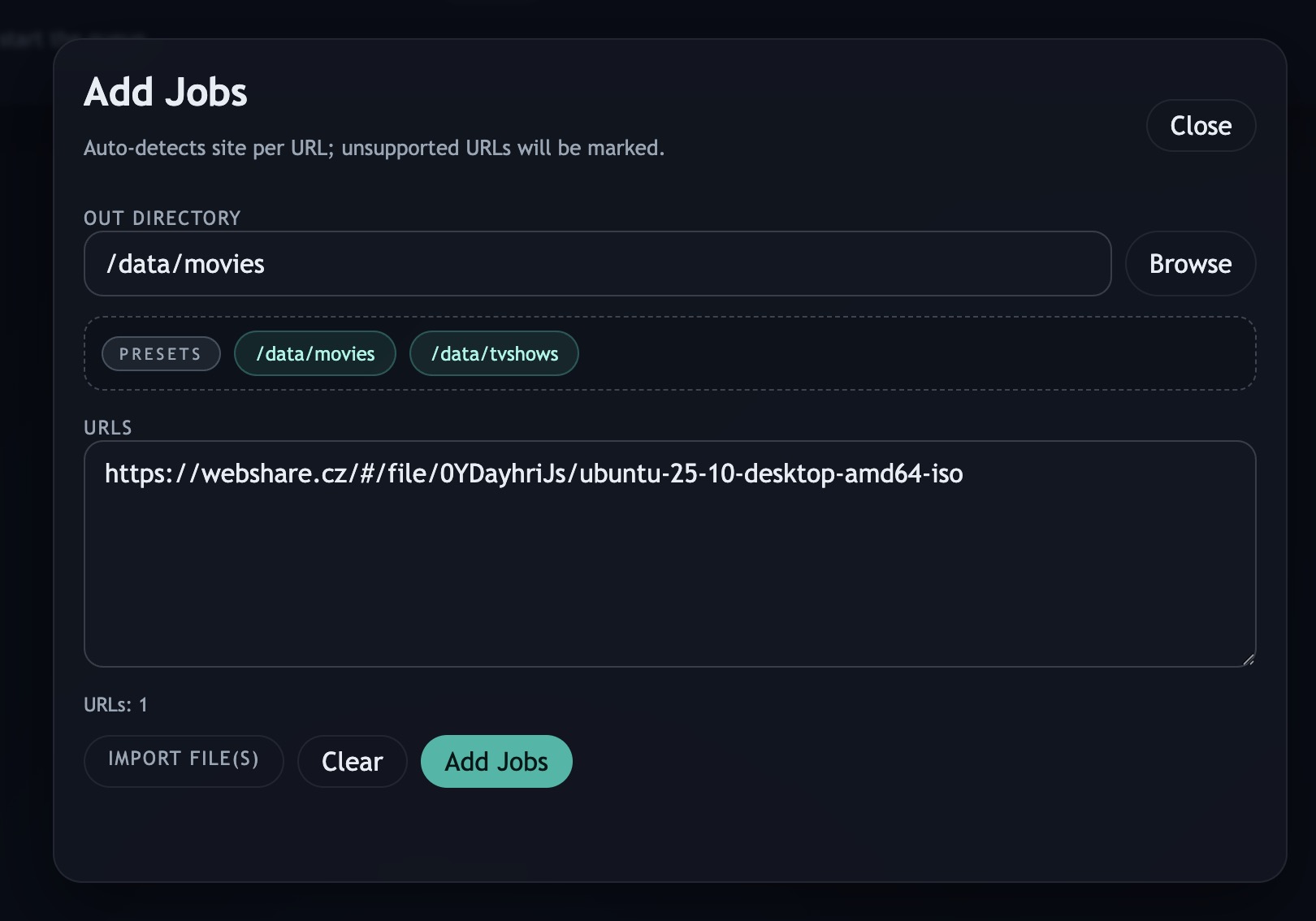
DLQ is Docker-first because that is how I run this kind of service at home. The daemon validates out_dir against configured DATA_* mounts, so jobs can only write where storage was explicitly mounted. The same DATA_* values become destination presets in the API and UI, which is useful on Unraid where a service might have several media folders mounted into different container paths.
The web UI is not the center of the system. It is a convenience layer for batch adds, browsing destination folders, starring common output folders, watching grouped jobs, changing runtime settings, and checking logs from devices where SSH is not pleasant. The CLI and UI talk to the same daemon, so neither one owns the workflow.
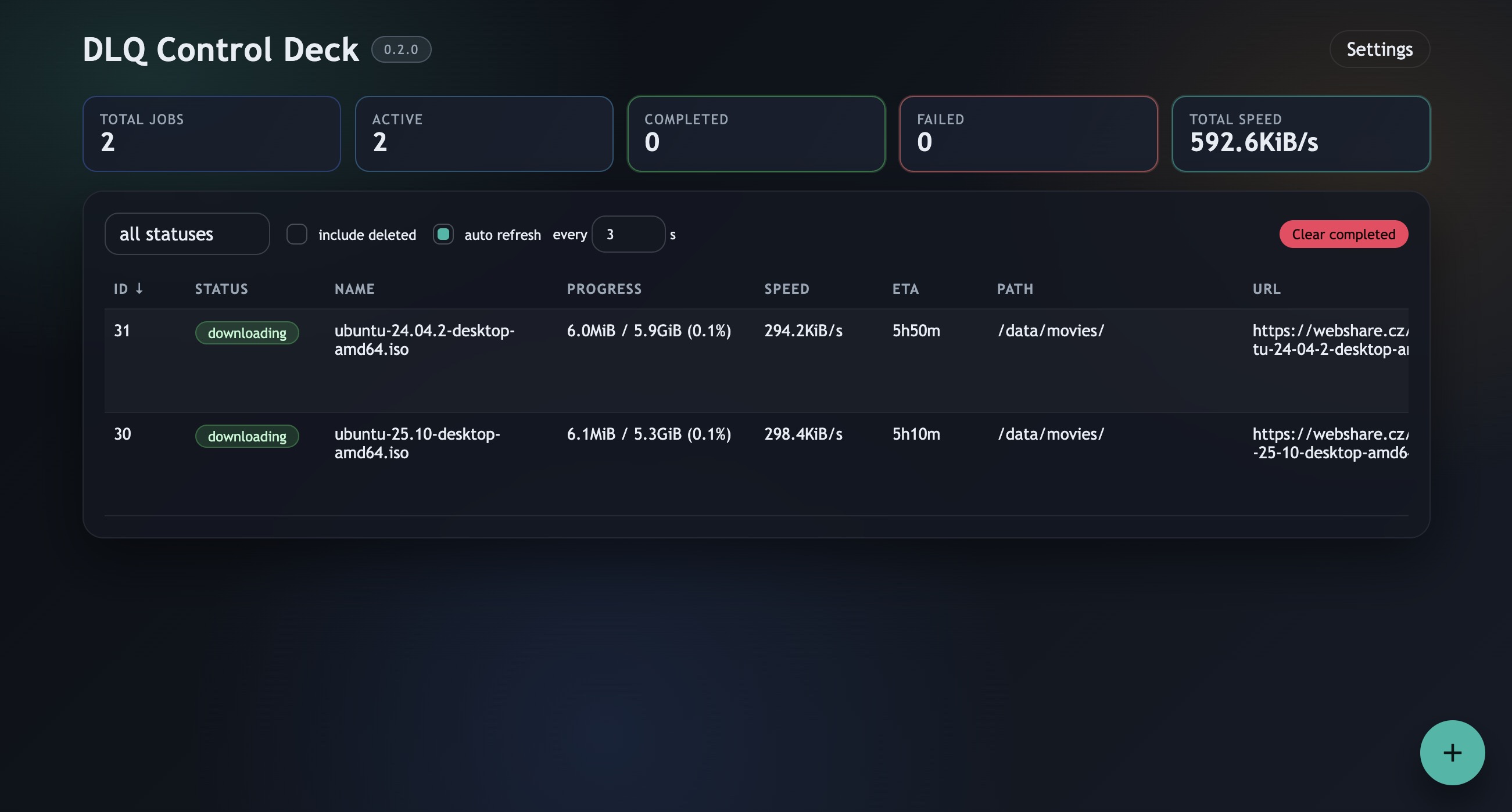
Security is intentionally plain: DLQ is for trusted networks such as a home LAN or Docker network. The API has no authentication, so :8099 should not be published directly to the internet. If remote access is needed, it belongs behind a reverse proxy with authentication. aria2 should also get an ARIA2_SECRET, because its JSON-RPC endpoint is part of the runtime.
I picked aria2 because I did not want to reimplement reliable file downloading. It already handles resuming, parallelism, progress, and reporting. DLQ focuses on orchestration: persistent queue state, retry behavior, resolver-specific handling, output-path safety, and post-processing.
Current State
The first version was mostly a small daemon, CLI, SQLite queue, aria2 integration, and Webshare resolver. Everything since then was driven by something I actually hit while using it: an optional SvelteKit UI for when SSH was not pleasant, MEGA support, archive extraction and multipart grouping for real download sets, folder favorites and runtime settings for day-to-day use, Unraid deployment scripts, and clearer error mapping.
It still does not try to replace every part of JDownloader2. That is the point. JDownloader2 remains the better answer if you need a broad desktop download manager with a large plugin ecosystem. DLQ is the better fit for my narrower case: a scriptable, observable, Docker-native queue on a home server.
As a learning project, it also landed in the right size range. Go was a good fit for the daemon and CLI: one small binary, straightforward concurrency, and a practical HTTP service. SvelteKit worked well for a thin dashboard that mostly proxies API calls and renders live queue state. The result is not a general-purpose download empire, but it has replaced the VNC-driven workflow I was tired of using.