If you have ever used an "online image converter", you have probably had the same two concerns: privacy and speed. Do I really want to upload personal photos somewhere? And why does a simple conversion take so long?
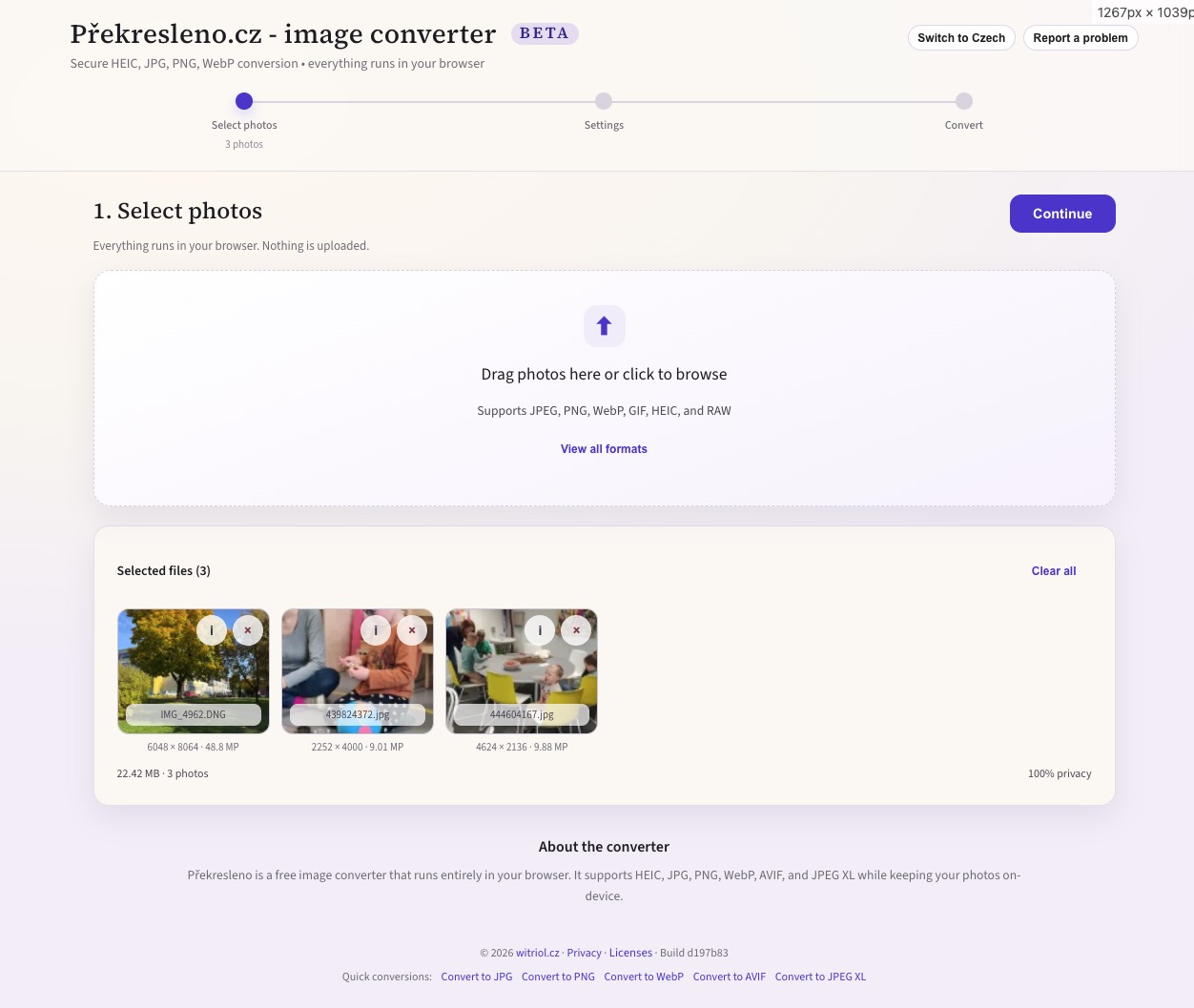
I built Překresleno.cz to remove that tradeoff. It is a modern image converter that runs entirely in the browser: drop in images, choose an output format, adjust a few practical settings, and download the result individually or as a ZIP. No uploads. No accounts. No server-side image processing.
Try it on Překresleno.cz.
The app handles common inputs such as JPEG, PNG, WebP, and GIF, but the more useful part is support for iPhone HEIC/HEIF files and many camera RAW files. It exports PNG, JPEG, WebP, AVIF, and JPEG XL (beta), supports batch conversion, shows per-file progress, and includes resize limits by resolution or megapixels.
What It Does
The workflow is intentionally simple. Open the app, drop photos into the upload zone, choose an output format, optionally set quality or a resize limit, click convert, and download the outputs. For batches, the app can package everything into a ZIP.
The privacy model is the main feature: image processing happens locally. The files do not leave the browser, which makes the tool useful for personal photos, screenshots, documents, or any quick conversion where uploading to a random service would feel wrong.
There are practical limits. RAW support is preview extraction, not full RAW development: the app uses the embedded JPEG preview that most cameras store inside the RAW container. That is fast and often good enough for sharing, but it is not demosaicing, tone curves, or color-science work. AVIF and JPEG XL can also be CPU-heavy, especially for large batches or very high-megapixel images.
How It Works
Each file goes through the same basic pipeline:
input file -> decode -> optional resize -> encode -> Blob -> download or ZIPDecoding takes a different path depending on the input:
- JPEG, PNG, WebP, GIF — browser-native paths such as
ImageBitmap, when the browser already understands the format. - HEIC/HEIF — a libheif WebAssembly build through
heic-to/heic-decode, which turns the file into raw RGBA pixels when native browser support is missing. - RAW —
exifrextracts the embedded preview JPEG instead of attempting full RAW development in JavaScript.
Encoding is where WebAssembly matters most. The app uses the @jsquash/* codec family for formats such as WebP, AVIF, and JPEG XL, so real codec implementations run inside the browser sandbox. Heavy work runs in a module web worker where possible, with transferable ArrayBuffers used to reduce copying between threads. That keeps the UI responsive enough that batch conversion feels like an app rather than a frozen tab.
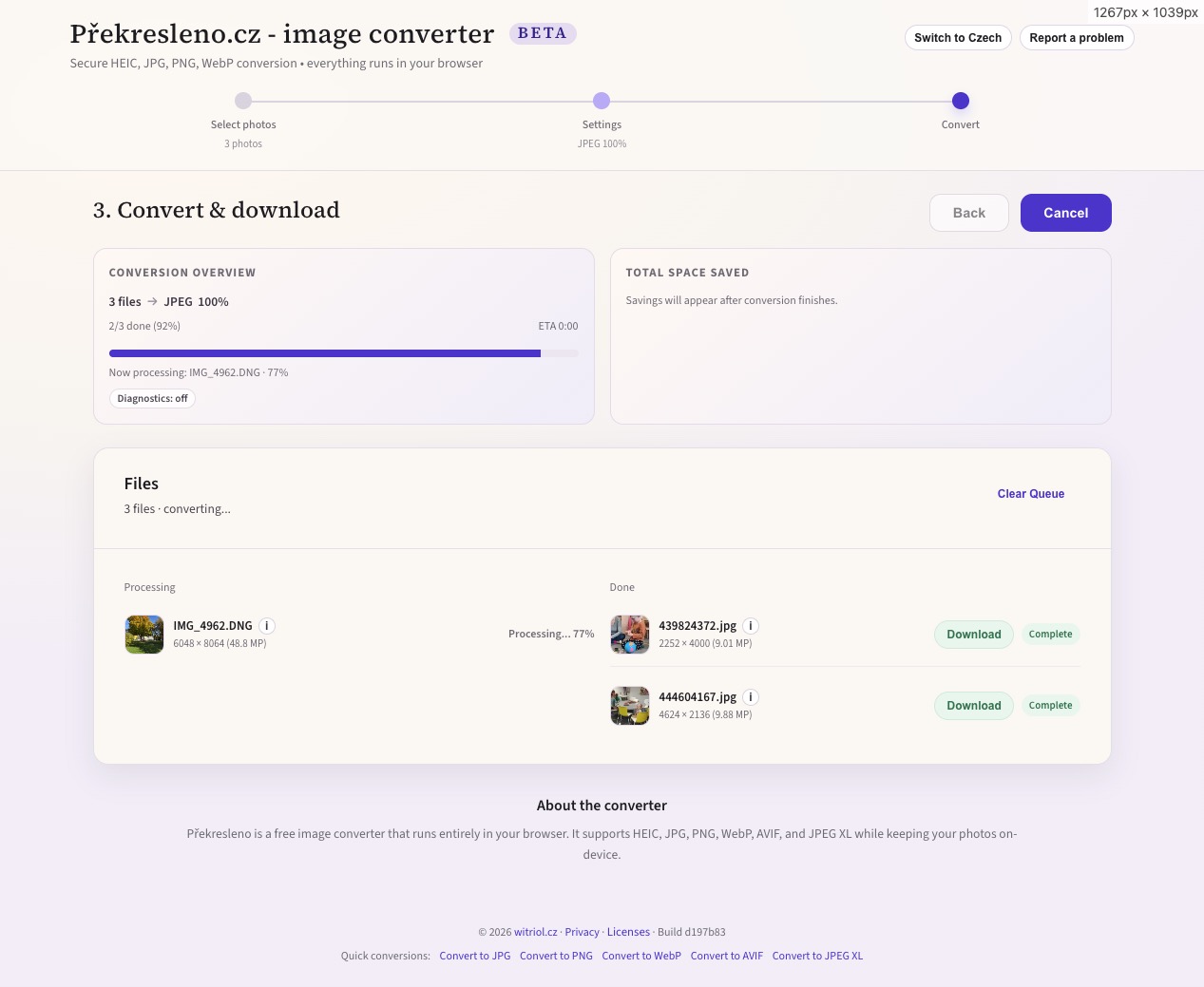
The heavier codec and vendor assets are staged locally and precached by a service worker. After the first load, the converter can keep working with flaky connectivity, which makes it feel closer to an installed tool than a classic website.
Choosing a Format
Actual output depends on content, dimensions, and quality settings, but the tradeoffs are predictable enough for a simple guide:
| Output format | Typical file size | Encode speed | Best for |
|---|---|---|---|
| JPEG | Baseline | Fast | Photos, maximum compatibility |
| WebP | ~10-30% smaller than JPEG | Medium | Photos on the web, solid support |
| AVIF | ~20-50% smaller than JPEG | Slower | Best compression when you can afford time |
| PNG | Often 2-6x larger than JPEG | Medium | UI graphics, screenshots, transparency, lossless needs |
| JPEG XL (beta) | Often smaller than JPEG at similar quality | Slower | Experiments, high quality, forward-looking workflows |
Choose JPEG when compatibility matters most, WebP for modern web usage with good size savings, AVIF when file size matters more than encode time, and PNG for screenshots, graphics, transparency, or lossless output. JPEG XL is still in beta: useful when your workflow supports it, but not something I would pick as the default for sharing.
Why This Approach Is Worth It
The useful part of Překresleno.cz is not just that it converts images. It is that an "online tool" can behave like a local application, with no backend in the loop.
That keeps the operational side small. There is no server-side image pipeline to scale, secure, or pay for. The user's own device does the conversion, and the site mainly ships the application and codec assets.
For this kind of utility, that feels like the right tradeoff: private by default, fast enough for normal batches, offline-friendly after the first load, and still available from any modern browser.
What's Next
The open edges are the ones I called out above: RAW is still preview extraction rather than full development, and JPEG XL stays in beta until support is broad enough to trust as a default. Both are areas I would like to push further, but the current version already covers the everyday case I built it for.